
To change the default video quality for a player please go to Players page.
On the Player page, you will have a list of players in your account.
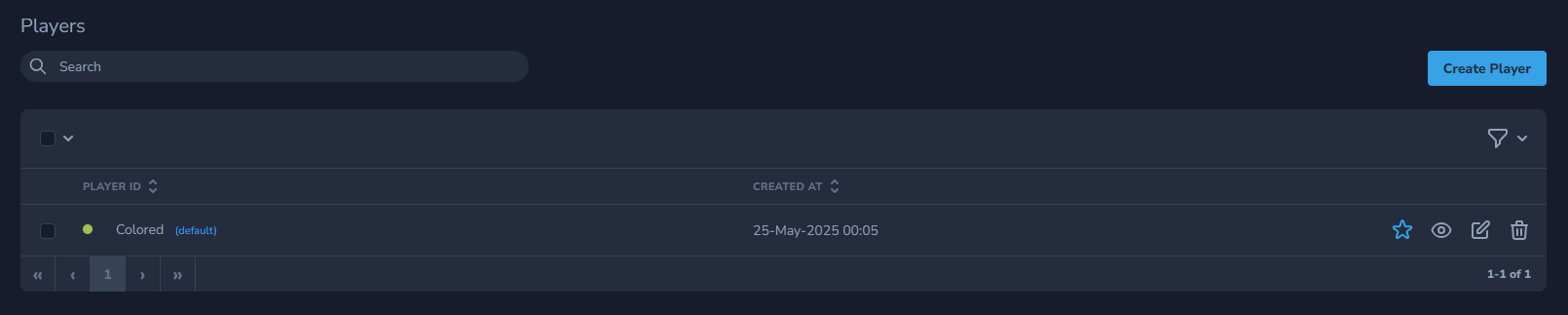
To change the quality for the player click the Edit icon on the right of the player.
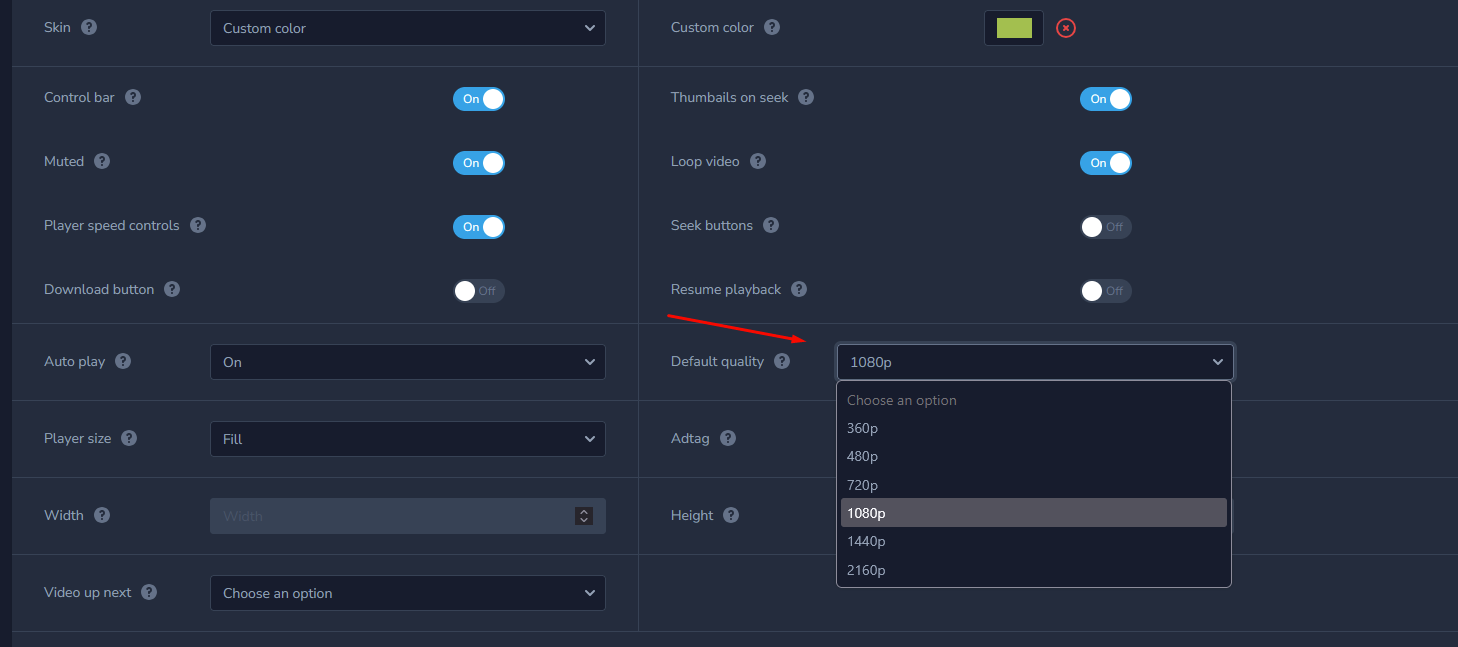
In the Default quality, section select 360p, 480p, 720p, 1080p, 144op or 2160p.
After you finished editing it make sure to Preview player behavior to make sure you got the desired outcome.