
For cropping, please use the c parameter in combination with w (width) and h (height) parameters. Supported values are c_fit (fit), c_fill (fill) and c_limit (limit).
c_fill will resize the image or video to exact given width and height while retaining the original aspect ratio, using only a part of the original file that fills the given dimensions if necessary.
To create a 300x300 pixel thumbnail out of an image with c_fill, append w_300,h_300,c_fill to the URL as in:
https://media.publit.io/file/w_300,h_300,c_fill/butterflies.jpg
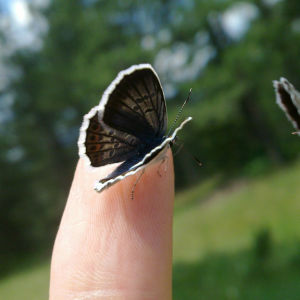
c_fit will resize the file so that it takes up as much space as possible within a bounding box defined by the given width and height parameters. Original aspect ratio is retained and all of the original file is visible. To create 300x300 pixel thumbnail out of our sample image with c_fit, append w_300,h_300,c_fit to the URL as in:
https://media.publit.io/file/w_300,h_300,c_fit/butterflies.jpg

c_limit is same as the c_fit mode but only if the original file is larger than the given limit (width and height), in which case the image or video is scaled down so that it takes up as much space as possible within a bounding box defined by the given width and height parameters.